Offboarding Cryptographic Boundary: Revocation & Key Re-Ratcheting
Key Generation
Entropy harvested from OS cryptorandom hardware generators.
Local Protection
Private keys reside in locked device memory; never sent to servers.
Secure Usage
Symmetric session keys derive payload ciphers with unique nonces.
Epoch Ratchet
Automated key rotation locks past history even if future keys leak.
How MLS group rekeying isolates departing staff, cutting off cryptographic ability to decrypt new workplace transmissions.
Think about the last time someone left your team. There was probably a farewell, a handover meeting, and a long list of pending work. Was there also a list of everything they could still access?
For most small and mid-sized companies, the honest answer is no. Their email gets disabled eventually, maybe. But the WhatsApp groups with clients, the shared drive link on their personal phone, the saved passwords in their browser, and the cloud folder they set up last year often stay open for months.
This guide explains where client data leaks during offboarding, and gives you a practical checklist you can start using the next time someone leaves.
The Truth About Offboarding Risk
Most data exposure from departing employees isn't revenge or theft. It's drift: access that nobody thought to remove, and files that nobody thought to ask about. A well-meaning former colleague who still sits in a client group can accidentally forward a message. A lost personal phone with years of client chats on it is a breach, whether or not the owner works for you anymore.
Malicious cases do happen, usually in the weeks around a resignation, such as someone copying a client list before leaving to join a competitor. A good process handles both: it limits damage from honest mistakes and makes deliberate misuse harder.
Where Client Data Hides: 6 Danger Zones
Walk through these six places for every departing employee:
Chat Groups and Client Conversations
Team chats, client groups, and one-on-one threads hold names, documents, contracts, and decisions. On personal WhatsApp, those conversations live in the employee's account, so they walk out with the person. Even on company tools, former staff often remain members of channels and groups.
Personal Phones and Laptops
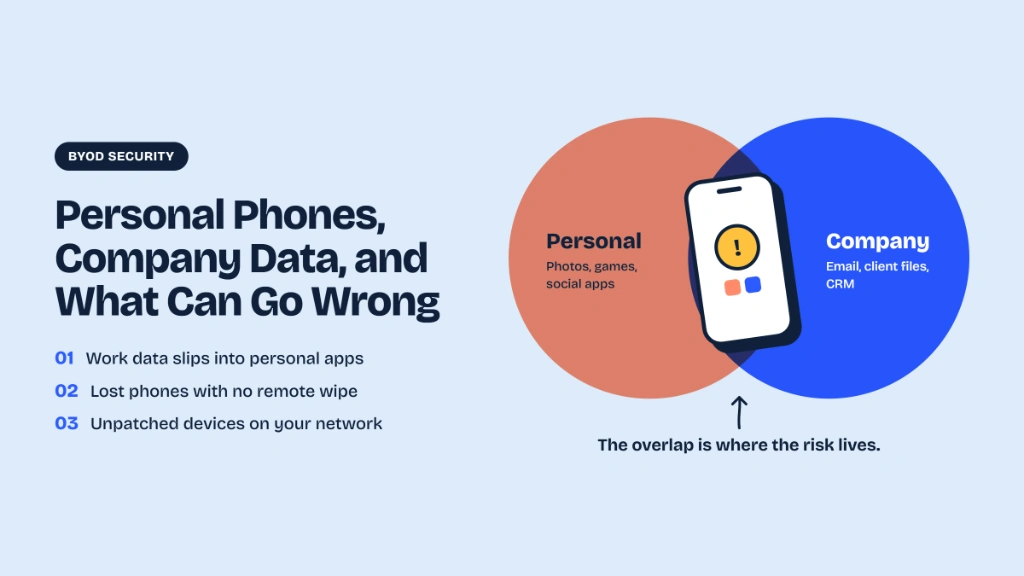
Documents downloaded to a phone, photos of whiteboards, exported spreadsheets, and screenshots of dashboards all stay on personal devices unless someone asks for them to be removed.
Email Forwarding and Archives
Check for auto-forwarding rules to personal addresses, large attachments sent to personal email in the last weeks, and shared mailboxes the person could access.
Cloud Storage and Shared Drives
Folders shared by link, personal accounts used to sync work files, and external collaborators the employee invited. Links that say "anyone with the link can view" keep working after the person leaves.
Shared Accounts and Passwords
Social media logins, vendor portals, analytics tools, and any password shared in a chat or sheet. If the employee knew it, assume it needs changing.
Client and Vendor Relationships
Clients often have the departing person's number and email. If you don't tell them who their new contact is, they may keep sending sensitive documents to the old personal channel.
A Simple Offboarding Timeline
| Stage | What To Do |
|---|---|
| When notice is given | Start the checklist. Inventory what this person can access. Decide who takes over each client relationship. |
| During the notice period | Run the handover. Move client conversations to shared, company-controlled channels. Reduce access to anything not needed for handover. |
| Last working day | Remove access to all systems the same day, ideally during the exit meeting. Collect devices. Rotate shared passwords. |
| Within a week | Review logs for unusual downloads or forwarding. Tell clients and partners who their new contact is. |
| After 30 days | Do a final check: any lingering group memberships, shared links, or accounts. Confirm data retention and deletion decisions. |
The Offboarding Master Checklist
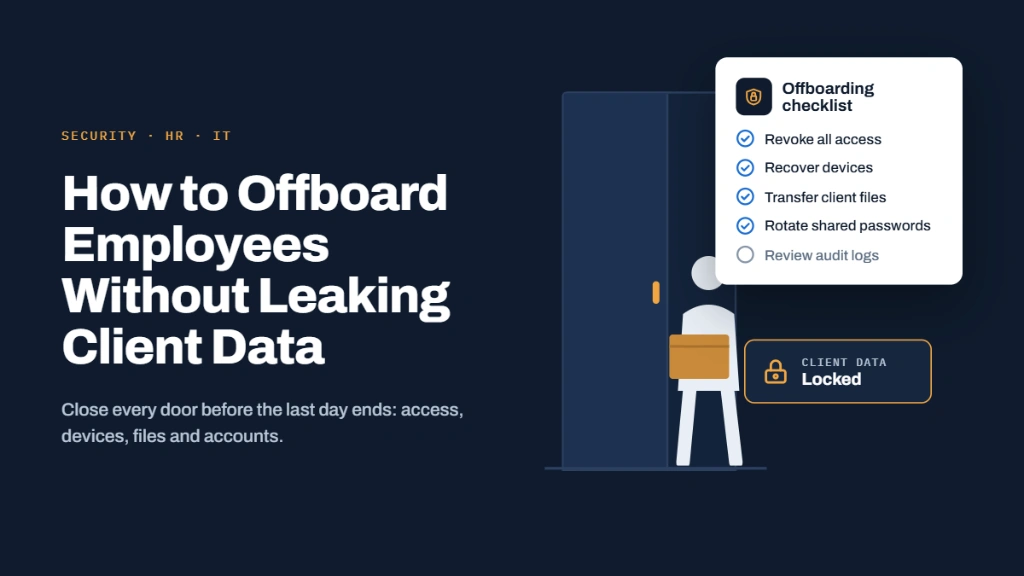
- • Make a comprehensive list of every system, group, folder, and account used.
- • Assign each client relationship to a named successor.
- • Ask employee to migrate client files and notes into company storage.
- • Audit admin privileges; strip those unneeded for handover.
- • Disable accounts and drop user from all chat groups and shared folders.
- • Revoke access tokens, API keys, and active web sessions, not just passwords.
- • Rotate every shared credential the person had access to.
- • Trigger enterprise wipe of work profiles on personal phones.
- • Collect laptops, hardware keys, physical tokens, and SIM cards.
- • Turn off email auto-forwards and set a successor auto-responder.
- • Formally email clients and partners introducing their new point of contact.
- • Review system access logs for suspicious downloads prior to exit.
- • Collect signed written confirmation that all company data is deleted from personal devices.
- • Review offboarding friction points and update SOPs accordingly.
The Chat Problem: The Hardest Part
Most small teams find chat harder than any other category, because the conversations are scattered across personal apps.
- Keep client conversations in company-controlled channels: If a client talks to an employee on a personal number, that relationship, and the data, belongs to the person, not the business.
- Use groups with admins who are not the departing employee: If the leaver is the sole admin of a client group, you cannot remove their access.
- Don't rely on deleting your own side of the chat: A former employee still has their own unmanaged copy and backup files.
- Use tools that let you remove a member and cut off future access: In an end-to-end encrypted group built on the Messaging Layer Security (MLS) protocol, removing a member is designed to update the group's keys, so the removed person can't decrypt new messages. It can't erase what they already saw, which is why handover and written agreements still matter.
For a closer look at the risks of using consumer chat for client work, read Is WhatsApp Safe for Business and Client Communication?
Getting the People Side Right
Technology is only half the process. How you handle the exit matters too.
Be Consistent
Run the exact same checklist for everyone, from interns to co-founders, so no one feels singled out or mistrusted.
Be Respectful
Most departures are friendly, and treating departing colleagues as criminal suspects creates friction and resentment.
Use Clear Agreements
Employment contracts and NDAs should explicitly state what counts as proprietary data, and that client records stay with the company.
Hold an Exit Conversation
Remind the person of their ongoing confidentiality obligations and ask them to confirm they retain no files.
Don't surprise people. Explain during your initial onboarding that access revocation at exit is automatic standard operating procedure.
The DPDP Angle for Indian Businesses
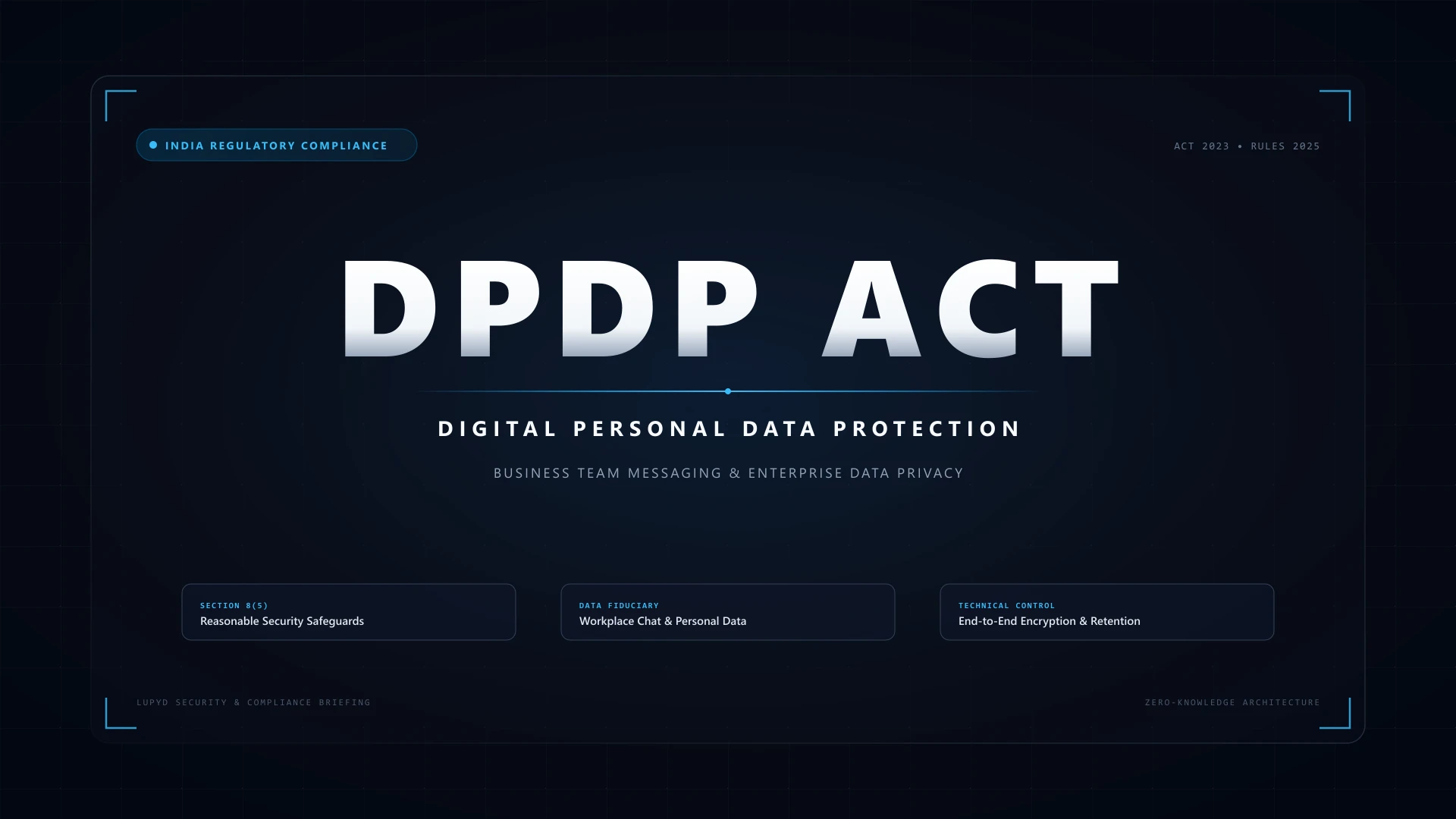
India's DPDP Rules are phasing in, with core obligations expected around May 2027. They expect businesses to use reasonable security safeguards for personal data, including controlling who has access, and to report breaches within strict timelines. A former employee who still holds client data on a personal phone, or retains access to a client group, is a gap you may later have to explain.
Offboarding is also a good test of your wider readiness: if you can't say who had access to which client data, it's hard to investigate an incident. Read our DPDP Act guide for team messaging for the full picture.
Common Offboarding Mistakes
Only disabling email
The chat groups, shared drive links, and third-party SaaS portals stay wide open.
Waiting a few weeks "to be safe"
Access should be revoked on the final working day, not left open indefinitely.
Forgetting shared logins
A single unrotated shared tool password undermines an entire enterprise security perimeter.
No successor for client relationships
Clients continue sending confidential attachments and invoices to the departed contact.
Treating it strictly as an IT task
HR, team leaders, and IT must coordinate together on timing and responsibilities.
How Lupyd Makes Offboarding Easier
Lupyd is an open-source, end-to-end encrypted team messenger. Keeping client conversations in a company workspace, instead of on personal accounts, makes the chat part of offboarding far simpler: the conversation belongs to the team, and removing a member from an MLS group is designed to update the group's keys so the removed person can't decrypt new messages. It can't erase what someone already saw, so handover and written agreements still matter. Read how it works in our post on Signal and MLS.
Company-Owned Channels
Conversations stay safely in the workspace rather than personal phone backups.
MLS Cryptographic Ratchet
Removing an ex-employee automatically re-keys group encryption trees.
Central Handover Repository
Project channels preserve handover records without third-party vendor leaks.
Auditable Open Architecture
Inspect exactly how permissions and cryptographic state transitions operate.
What You Get with Lupyd
| Lupyd Feature | What It Does | Why It Matters for Your Company |
|---|---|---|
| End-to-end encrypted group chat (MLS) | Team conversations are encrypted with the Messaging Layer Security standard, and servers are designed never to read message content. | Client and internal discussions stay private, even from the platform. |
| Firefly chat suite | Open-source chat tools with private channels and easy-to-run clients. | Organize conversations by client, project, or team, and inspect how it works. |
| Audio and video calling | One-to-one and group calls inside the same workspace. | Meetings and quick calls without jumping to another consumer app. |
| Project and task organization | Manage tasks and share project updates without sending roadmaps to third-party clouds. | Keep sensitive plans in one private workspace. |
| Noon anonymous surveys | Workplace surveys and feedback forms designed so submissions can't be traced to individuals. | Honest employee and client feedback without tracking. |
| Message verification | Cryptographic checks that show a message wasn't changed in transit. | Confidence that what you read is what was sent. |
| Open source | Code published on GitHub, with public documentation. | Your security team can verify claims instead of trusting marketing. |
Want the full list? See the Lupyd features page, the FAQ, and pricing.
Try It with Your Team
Eliminate Offboarding Data Leaks
We're offering free pilots to a small number of teams in legal, healthcare, and finance who want to move sensitive conversations out of personal chat apps. We'll set it up with you, and in return we ask for honest feedback.
Request a pilot →Frequently Asked Questions
When should I remove a departing employee's access?
Usually on their last working day, during or right after the exit meeting. Reduce unnecessary access earlier, during the notice period.
What if the employee used their personal phone for client chats?
Move the conversations to company-controlled channels before they leave, ask them to delete company data from the device, and record their confirmation in writing. Going forward, avoid client work on personal accounts.
Can I make an employee delete company data from their personal phone?
You can require it through policy and contract, and use a work profile or remote wipe of company data if the device is enrolled. Don't wipe their personal data. Ask HR or a lawyer how to handle this fairly.
Do small companies really need a formal process?
Yes, but it can be simple: a one-page checklist, a named owner, and a habit of running it every time.
What should I tell clients when someone leaves?
Tell them who their new contact is and ask them to use that official company channel from now on.
Does offboarding relate to DPDP compliance?
Controlling access to personal data is part of reasonable security safeguards, so a weak offboarding process can become a serious compliance risk. Confirm specifics with your lawyer.
Last updated: 11 October 2026. This article is general information and not legal advice.
- ✓ Most offboarding data leaks result from access drift rather than malicious intent: lingering chat memberships, active sync links, and forgotten shared logins.
- ✓ Client data hides in 6 neglected areas: chat groups, personal phones/laptops, email auto-forwards, cloud storage shares, shared passwords, and direct client numbers.
- ✓ A structured offboarding timeline across notice period, last working day, 7-day review, and 30-day final audit ensures nothing slips through the cracks.
- ✓ Personal WhatsApp groups present the hardest offboarding hurdle: when employees leave, client conversations remain on their private devices and numbers.
- ✓ Under India's DPDP Act, companies must maintain reasonable security safeguards, and failing to revoke departing staff access creates severe compliance liabilities.
- ✓ Lupyd's MLS group encryption protocol automatically rotates cryptographic group keys when a member is removed, guaranteeing departing employees cannot decrypt future messages.