Short answer: if someone gets your phone unlocked, they can read every message already on it, whatever encryption the app uses. End-to-end encryption protects messages in transit and on the server, not on a device that is open in someone else's hands. What you can control is the future: once the stolen device is removed from your account and from each group, it stops receiving new messages, and in an MLS group it can no longer decrypt anything sent after the removal is committed.
What a Thief Can Read on Your Phone
How much leaks depends mostly on the state the phone was in when it was taken, and on the operating system's storage encryption, not on the messaging app.
| Phone state when stolen | What is exposed |
|---|---|
| Unlocked, or the thief knows the passcode | Everything the app shows: chat history, files, group member lists. The thief can also send messages as you until the device is removed. |
| Locked, but unlocked at least once since it was switched on | Protected by the lock screen. On iOS, third-party app data defaults to a class whose key stays available after the first unlock; on Android, credential-encrypted storage is open after the first unlock. Reading it needs the passcode or a working exploit. |
| Switched off, or restarted and not yet unlocked | The strongest state. App data in the default storage classes stays encrypted until someone enters the passcode. |
Sources: Data Protection classes, Apple Platform Security; File-based encryption, Android Open Source Project.
On iPhone, Apple's Data Protection encrypts each file with its own key and assigns it to a class. Files in the Complete Protection class become unreadable about 10 seconds after the phone locks (when Require Password is set to Immediately). But Apple's guide says the default class for third-party app data is Protected Until First User Authentication, whose key stays available after the first unlock since boot. An app has to opt into the stricter class for its files.
On Android, file-based encryption splits storage into credential-encrypted (CE) storage, the default location for app data, available only after the user unlocks the device, and device-encrypted (DE) storage, available earlier during Direct Boot. Apps can keep keys in the Android Keystore, which keeps key material out of the app's process and can bind it to secure hardware. Android's documentation is careful about the limit: an attacker who controls the device may still be able to use those keys on the device, even though they can't extract them.
Put plainly: a strong passcode and a phone that was switched off are your best protection. A phone that was unlocked when grabbed is an open book.
Why End-to-End Encryption Doesn't Protect Messages Already on the Device
End-to-end encryption means only the endpoints hold the keys to decrypt. Your phone is an endpoint. The app decrypts each message so you can read it, and most apps then keep your history in a local database. Whoever holds the unlocked phone holds an endpoint, with the keys, the history and the ability to send as you.
Signal says this directly in its lost-phone guidance: when you register on a new phone, messaging and calling stop on the old one, but "your past message history will remain on your old phone." Removing a device from an account is not a remote wipe. That is why the checklist below starts with the operating system's erase feature, not with the messenger.
Forward Secrecy and Post-Compromise Security, Applied to a Stolen Phone
RFC 9420, the MLS standard, defines the two properties in one sentence each: "Forward secrecy means that messages sent at a certain point in time are secure in the face of later compromise of a group member. Post-compromise security means that messages are secure even if a group member was compromised at some point in the past."
- Forward secrecy protects old ciphertext. Someone who recorded your encrypted traffic last month can't decrypt it with keys stolen today, because the message keys were deleted after use. It does nothing for messages the app has already decrypted and saved in its history.
- Post-compromise security is about healing. The Signal Double Ratchet mixes fresh Diffie-Hellman values into its keys, so a stolen session key is eventually replaced by one the attacker doesn't know. In MLS, a Commit with fresh key material does the same for the group.
Neither property helps while the attacker still holds the device itself, because the device keeps receiving the new keys along with everyone else. Healing only works once the stolen device is taken out of the conversation. That is what device removal is for.
How Removing a Device Works in Signal-Protocol Apps
In apps built on the Signal Protocol, each of your devices has its own keys and its own sessions with your contacts. A sender encrypts a separate copy of each message for every device on your account. Removing a device means the server stops listing it, so senders stop encrypting for it.
In Signal itself, linked devices (desktop, iPad, a second phone) are managed from the primary phone under Settings > Linked devices, where you can unlink any of them. Signal allows up to five linked devices and unlinks a linked device after 45 days of inactivity. If the stolen device is your primary phone, Signal's advice is to get your number on a new phone and register there, which stops messaging on the old one. Signal can't erase the history already stored on the stolen phone.
How Removing a Device Works in MLS Groups
In an MLS group, every device is a separate member, a leaf in a shared key tree. RFC 9420 removes a member in two steps:
- Remove proposal. A member proposes removing the leaf at a given index.
- Commit. A member commits the proposal. The Commit blanks the removed leaf and its path to the root, and "provides new entropy to all members of the group except the removed member." That entropy goes into the next epoch's secret, "so that it is not known to the removed member."
After the Commit, the removed device can still read whatever it decrypted and stored before, but it can't derive the keys for the new epoch, so it can't decrypt anything sent after. The standard is explicit that a proposal alone changes nothing: the group's state isn't changed until a Commit is sent, and security guarantees take effect "when the members of the group process the relevant Commit, not when the sender creates it." The standard also leaves policy to the application: who may remove whom is up to the app's access-control rules.
The Window Between Theft and Removal
There are three gaps where a stolen device can still see new messages:
- Before anyone notices. Until you remove the device, it is a normal member of every conversation.
- Between removing it from the account and removing it from each group. In MLS the device holds the current epoch's keys until a Commit removes it. Messages sent in that epoch are encrypted to keys it has.
- Commit ordering. Group members may send messages in the old epoch while the removal Commit is in flight. How an app orders those is its own design question; we covered it in MLS commit ordering and epoch races.
The practical rule: remove the device fast, and assume anything sent to the group before the removal was committed could have been read.
What Happens in Lupyd When You Remove a Device
Lupyd uses the Signal Protocol for direct messages and MLS for group channels, with the server acting as an MLS external client that sees membership but not message content. The device lifecycle lives in the open-source engine and the server. Here is what the code does today.
| Step | What happens | Code |
|---|---|---|
| You remove the device from another signed-in device | The server records the device as revoked, deletes its address, closes its open connections and forgets its push token. Its stored pre-key bundles, group key packages and undelivered direct messages are deleted with it. | firefly-mls/crates/server/src/user/mod.rs (delete_user_address, forget_removed_devices); initdb.sql (ON DELETE CASCADE) |
| The removed device tries to reconnect | WebSocket and WebTransport connections from it are refused with 410 Gone, and so is any attempt to re-register its old address. The client then stops reconnecting, forgets its registration and the app signs out. | firefly-mls/crates/server/src/lib.rs, wt/server.rs; firefly/crates/client/src/websocket.rs (on_device_revoked) |
| New direct messages | The server only stores direct messages for addresses that still exist, so nothing new is queued for the removed device. | firefly-mls/initdb.sql (insert_user_messages) |
| Group channels | The device you removed it from immediately checks every group, asks the server which member devices are gone, and commits an MLS Remove for them. Other members' apps run the same check once a day. | firefly/crates/client/src/websocket.rs (remove_gone_devices_from_groups); firefly/crates/core/src/lib.rs (remove_gone_devices) |
Who can remove the device from a group
The group rules in firefly/crates/core/src/rules.rs decide who may commit a Remove. A member can always remove their own devices, so your other devices do it straight away. Any other member may remove a device whose group credential has expired, or a device older than its owner's newest one; removing someone's only current device needs the ManageMember permission. A group admin with that permission can also remove a person from the channel entirely, which removes all of their devices in one Commit.
Devices that are never removed by hand
- Inactivity expiry. A maintenance pass (
firefly-mls/crates/server/src/maintenance.rs) removes devices unused for 14 days on the web and 90 days on native apps, never a connected device and never the account's most recently used native device. Expired devices are allowed to register again, so expiry is housekeeping, not revocation. - Device limit. An account can have five devices (
MAX_DEVICES_ALLOWEDinfirefly/crates/core/src/rules.rs). Registering a sixth signs out the oldest: web devices first, then the least recently connected, never one that is connected and never the newest other native device. Evicted devices are told to sign out rather than silently registering again. - Dead devices in direct messages. If a contact's device went away without answering, Lupyd sets up a fresh session from its current pre-key bundle, and leaves the device out if that fails, instead of failing the whole message.
What removal does not do
Like Signal, Lupyd does not wipe the stolen phone. When the removed device signs out, its local data stays on it, as with a normal sign-out (lupyd-desktop/src/web/session.ts and auth_logout in the app's Tauri code). Revocation also depends on the server: Lupyd has not had an external security audit yet, so treat these guarantees as the code's behaviour, not an audited claim. Use the operating system's remote erase for the history.
Lost or Stolen Phone Checklist
- Lock or erase the phone remotely. Use Find My on Apple devices or Find Hub on Android. On Apple devices an erase request for an offline phone runs the next time it comes online; Android needs the phone to be powered on and connected.
- Remove the device from every messenger. Do it from another signed-in device or the primary phone. In Signal, unlink it under Linked devices, or re-register on a new phone if the stolen one was your primary. In Lupyd, remove it from your device list.
- Revoke other sessions. Sign the phone out of email, cloud storage and work accounts from their security pages.
- Rotate passwords and second factors. If the phone held an authenticator app or received SMS codes, move two-factor authentication to a new device and regenerate backup codes. See our two-factor authentication guide.
- Tell your groups and your team. Say which device was lost and from when, so people know not to trust messages from it and to resend anything sensitive after the removal. Contacts may see a new safety number when you register again.
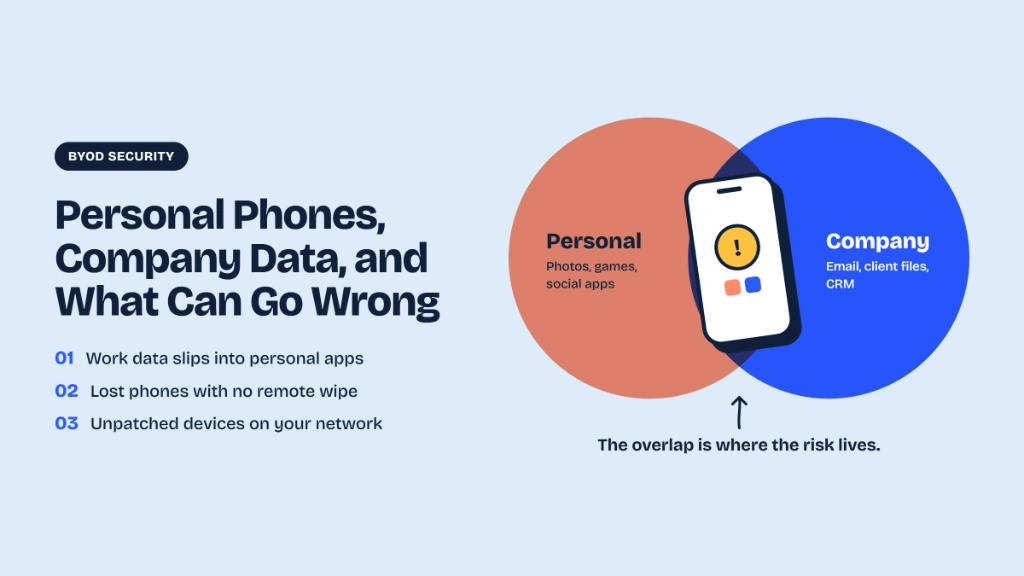
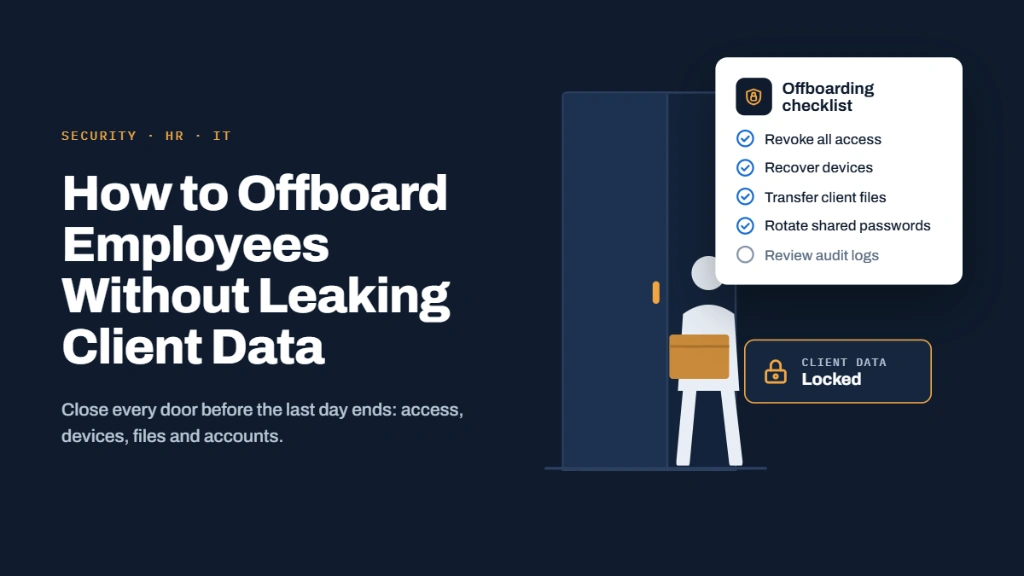
- For companies: treat it like a short offboarding. Our BYOD guide covers personal phones that carry company data, and offboarding without leaking client data covers removing access cleanly.
Frequently Asked Questions
Can a thief read my end-to-end encrypted messages on a stolen phone?
If the phone is unlocked, or they know the passcode, yes. End-to-end encryption protects messages in transit and on the server; the app decrypts them on your phone and usually stores the history there. A locked phone relies on the operating system's storage encryption and the lock screen.
Does removing a device delete the messages on it?
No. Removing or unlinking a device stops it receiving new messages. Signal says past message history remains on the old phone, and Lupyd keeps local data when a removed device signs out. Use the phone's remote erase to delete the history.
Does forward secrecy protect me if my phone is stolen?
Only for old encrypted traffic someone captured, because the keys that encrypted it were deleted. It does not protect messages already decrypted and stored in the app, and it does not stop the stolen device receiving new messages until it is removed.
When does a removed device stop seeing new group messages in MLS?
When a Commit containing the Remove proposal is processed by the group. That Commit starts a new epoch whose secret the removed device can't derive. Messages sent before the Commit, in the old epoch, are encrypted with keys it still has.
What happens in Lupyd when I remove a lost device?
The server records it as revoked, closes its connections and deletes its published keys and undelivered messages; it is refused if it reconnects and signs out. Your device then commits its removal from every group channel. Local data on the lost phone is not erased.
Final Takeaway
End-to-end encryption can't take back what a stolen, unlocked phone already holds. What it can do, if you act fast, is cut the device off: remove it from your account so it gets nothing new, and get it removed from every group so the next epoch's keys never reach it. Pair that with the operating system's remote erase, a strong passcode, and a quick word to the people in your groups. If you want a team messenger where removing a device also removes it from MLS group channels, Download Lupyd.
Sources & References
- Data Protection overview, Apple Platform Security
- Data Protection classes, Apple Platform Security
- File-based encryption, Android Open Source Project
- Android Keystore system, Android Developers
- RFC 9420: The Messaging Layer Security (MLS) Protocol, sections 3.2, 12.1.3 and 16.6
- The Double Ratchet Algorithm, Signal
- Linked Devices and Unlinking devices, Signal Support
- What do I do if my phone is lost or stolen?, Signal Support
- Erase a device in Find Devices on iCloud.com, Apple Support
- Find, secure, or erase a lost Android device, Android Help
- Firefly, Lupyd's open-source messaging engine
Last updated: 4 November 2026.
- ✓ End-to-end encryption protects messages in transit and on the server, not messages already decrypted and stored on an unlocked phone.
- ✓ What a thief can read depends on the phone's state: an unlocked phone exposes everything, a locked one relies on iOS Data Protection or Android file-based encryption, and a switched-off one is the hardest to read.
- ✓ Forward secrecy protects old captured ciphertext, and post-compromise security only heals once the stolen device is removed from the conversation.
- ✓ In MLS (RFC 9420) a device is removed by a Remove proposal and a Commit; after the Commit it can't decrypt new messages, but anything sent before the Commit was encrypted to keys it holds.
- ✓ Removing or unlinking a device does not wipe it, in Signal or in Lupyd: use the operating system's remote erase, then rotate passwords and two-factor, and tell your groups.
The workspace where nothing leaks
End-to-end encrypted channels and chat for your team, built on the Signal Protocol and MLS. Available on macOS, Windows, Linux and Android.