Not by default. Standard Zoom meetings use AES-256-GCM encryption, but Zoom's servers generate and keep the meeting key, so they are not end-to-end encrypted. Zoom does offer real end-to-end encryption for meetings, and it has been post-quantum since May 2024, but it is opt-in, works only in the Zoom apps and Zoom Rooms (not the browser), and switches off cloud recording, live transcription and Zoom's AI features. Team Chat is not end-to-end encrypted by default; Zoom Phone is end-to-end encrypted only for 1:1 calls you upgrade mid-call.
| Zoom feature | End-to-end encrypted? |
|---|---|
| Meetings with default (enhanced) encryption | No: AES-256-GCM in transit, but Zoom's servers generate and hold the meeting key |
| Meetings with end-to-end encryption turned on | Yes: desktop and mobile apps and Zoom Rooms only, post-quantum when everyone is on a recent version |
| Breakout rooms in an end-to-end encrypted meeting | Yes: each room gets its own key |
| Joining from a browser (Zoom Web App or Web SDK) | No: browsers can't join end-to-end encrypted meetings |
| Dial-in by phone and SIP/H.323 room systems | No: they can't join end-to-end encrypted meetings |
| Cloud recordings, live transcription and Zoom AI features | No: turned off in end-to-end encrypted meetings |
| Team Chat (default) | No: TLS in transit, and Zoom documents no end-to-end design for it |
| Team Chat with Advanced Chat Encryption | Partly: message keys live on participants' devices, but Zoom doesn't call it end-to-end and metadata stays visible |
| Zoom Phone calls (default) | No: encrypted between each app and Zoom's servers |
| Zoom Phone 1:1 calls upgraded to E2EE | Optional: same account, Zoom apps on both ends, admin must enable it |
| Calls to or from regular phone numbers (PSTN) | No |
| Zoom Mail between Zoom Mail users | Optional: same account, or both domains opt in; escrow admins can decrypt if enabled |
Sources: Using end-to-end encryption (E2EE) in Zoom meetings, Zoom Support; Zoom Cryptography Whitepaper, version 4.7 (June 2025).
How Zoom Meetings Are Encrypted by Default
Zoom calls its default mode enhanced encryption. When you join, Zoom's server gives your app a 256-bit meeting key that the server generated and keeps so it can hand it to each new participant. Audio, video, screen sharing and in-meeting chat are encrypted with AES-256-GCM using keys derived from that meeting key, then relayed through Zoom's media servers.
Those servers don't decrypt media just to route it, but they can. Zoom's whitepaper says the server passes the meeting key to connector servers when a phone or SIP participant joins, and that cloud recording works the same way, by recording decrypted data. In Zoom's own words, a passive attacker with access to the memory of the relevant servers "may be able to breach confidentiality by observing the shared meeting key." That is the difference between encryption in transit and end-to-end encryption.
How Zoom's End-to-End Encrypted Meetings Work
With end-to-end encryption on, the meeting key is generated by a participant's app, not by Zoom. One participant acts as the meeting "leader" (usually the host), creates the key, and sends it to each other participant encrypted to that person's public key. Media is still AES-256-GCM, but Zoom's servers only ever relay ciphertext. Breakout rooms each get their own key.
To check nobody is sitting in the middle, the host can read out a security code shown in the meeting, and everyone checks their app shows the same one. A green shield with a padlock means the meeting is end-to-end encrypted; a green shield with a check mark means enhanced encryption only.
Zoom's whitepaper is clear about what end-to-end encryption doesn't hide: Zoom can still see who is in the meeting, their IP addresses, and when and how long it ran.
How to Turn On End-to-End Encryption in Zoom
- An admin turns on Allow use of end-to-end encryption in the Zoom web portal, under Admin Center, Settings, Meeting, Security. It can also be set per group, or by individual users if the admin hasn't locked it. This is also where you pick the default encryption type.
- The host chooses End-to-end encryption as the encryption type when scheduling or editing the meeting. It can't be switched on once the meeting has started, and it can't be used for an ad-hoc meeting on a personal meeting ID unless it's already the default.
- Every participant joins from the Zoom Workplace desktop or mobile app, or a Zoom Room. If anyone can't meet the requirements, the meeting doesn't run end-to-end encrypted.
Hosts on Zoom's Basic plan must also verify a phone number by SMS. End-to-end encrypted meetings are capped at 1,000 participants.
Post-Quantum End-to-End Encryption
On 21 May 2024 Zoom announced post-quantum end-to-end encryption for Zoom Meetings. It combines the classical X25519 key exchange with Kyber-768, the algorithm NIST standardised as ML-KEM in FIPS 203, so recorded traffic stays protected even if quantum computers later break the classical part. It protects against "harvest now, decrypt later" attacks; Zoom's signatures are not post-quantum.
It switches on automatically when every participant runs version 6.0.10 or later on desktop or mobile, or 6.1.0 or later on Zoom Rooms. If anyone is on an older version, the meeting falls back to standard end-to-end encryption. Zoom's whitepaper says post-quantum support reached end-to-end encrypted Zoom Phone calls in client version 6.1.0.
What You Lose With End-to-End Encryption
Anything that needs Zoom's servers to see the meeting stops working. Zoom's support article lists:
- Zoom AI features
- Cloud recording
- Live transcription
- Live streaming
- Polling and surveys
- Zoom Apps
- My Notes
- Zoom Whiteboard
- Meeting chat before and after the meeting
People also can't join from a web browser, the Zoom Web App or apps built on the Zoom Web SDK, by telephone, or from SIP/H.323 room systems, and Zoom Rooms can't dial out to SIP/H.323 devices. The whitepaper explains why browsers are excluded: a web server could quietly serve tampered cryptographic code to a browser with little chance of detection.
Is Zoom Team Chat End-to-End Encrypted?
Not by default. Zoom says Team Chat data in transit is protected with TLS, and the cryptography whitepaper, which documents Zoom's end-to-end designs for Meetings, Phone and Mail, has no end-to-end design for Team Chat.
Admins can turn on Advanced Chat Encryption. With it, Zoom says message data at rest is encrypted with keys "generated and operated on chat participants' devices", exchanged between those devices, and admins can no longer read the chat history. Zoom doesn't call this end-to-end encryption, data in transit still relies on TLS, and it costs features such as AI features, message previews, translation and reminders.
Zoom also offers chat encryption with a Customer Managed Key. Messages are encrypted in the app before upload, but with data keys managed through the customer's key, and Zoom notes that admins can still see chat history. That protects data from Zoom's storage, not from your own organization.
Zoom Phone and Zoom Mail
Zoom Phone calls are encrypted between each app and Zoom's servers, not end to end. Since 2022 you can upgrade a call to end-to-end encryption from the More menu during the call, but only for one-to-one calls between two Zoom Phone apps on the same Zoom account, with automatic call recording off and after an admin enables it. Calls to and from regular phone numbers can't be end-to-end encrypted.
Restricted voicemail is stored encrypted to the recipient's devices, but Zoom's servers record it first, so Zoom itself says it is weaker than end-to-end encryption.
Zoom Mail Service end-to-end encrypts email only between active Zoom Mail users on the same account, or across two domains whose admins both opt in. Mail to anyone else falls back to other methods. If an account turns on escrow, designated administrators can decrypt that mail for recovery or legal discovery.
What This Means for Teams and Businesses
Zoom's end-to-end encrypted meetings are a real, documented design with a public whitepaper, which is more than most meeting tools offer. The trade-off is that you choose it per meeting and give up recording, transcripts, AI summaries, browser joins and dial-in. If your organization relies on those, most of your meetings will run with enhanced encryption, where Zoom holds the key.
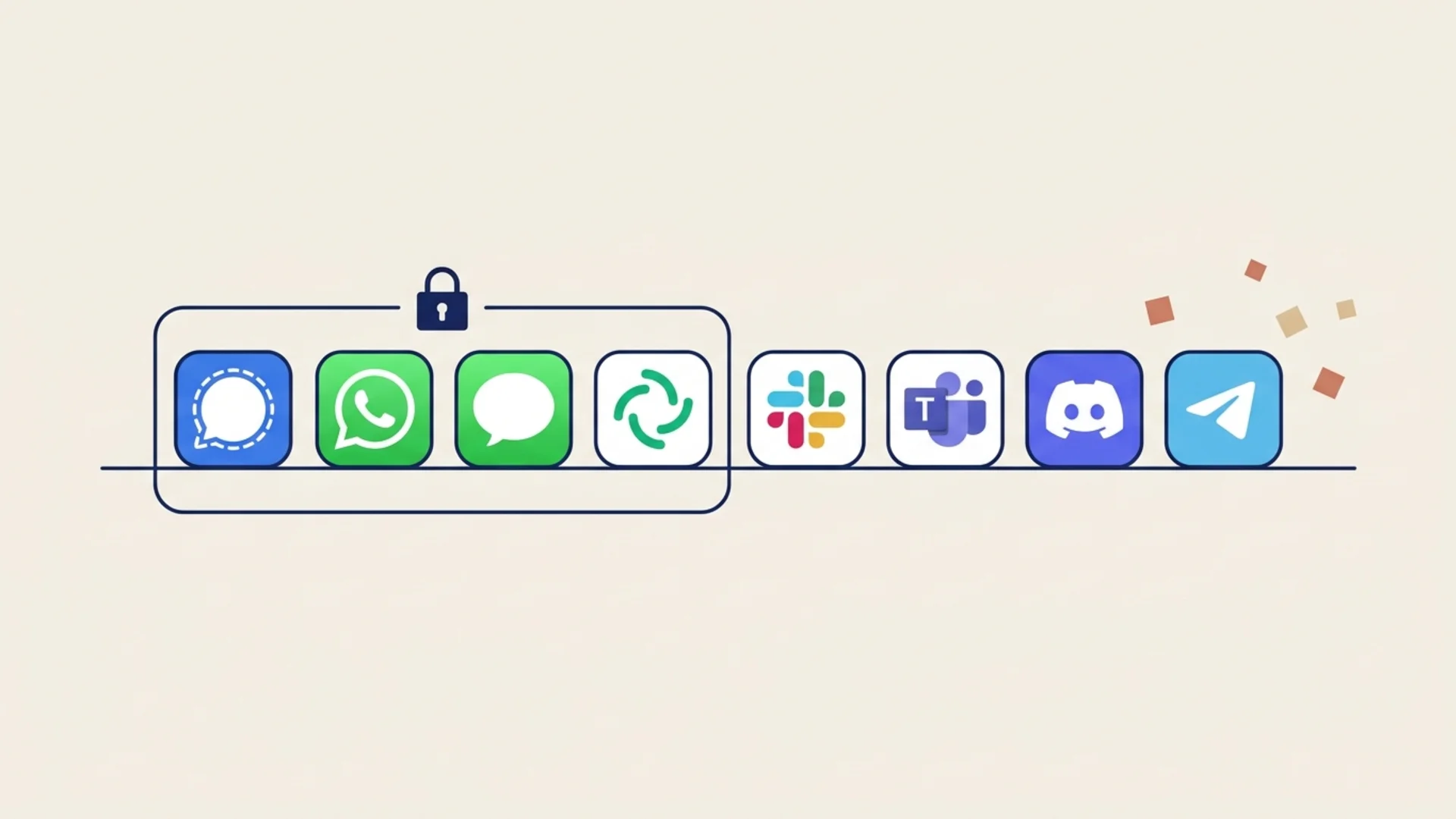
Compare Zoom with the other two big meeting tools: Microsoft Teams offers end-to-end encryption for 1:1 calls and for Teams Premium meetings, and Google Meet needs client-side encryption on top-tier Workspace plans. For chat apps, see which messaging apps are end-to-end encrypted.
Frequently Asked Questions
Is Zoom end-to-end encrypted by default?
No. Zoom meetings use enhanced encryption by default: AES-256-GCM with a meeting key generated and held by Zoom's servers. End-to-end encryption is an option an admin has to allow and the host has to choose when scheduling the meeting.
Can you join an end-to-end encrypted Zoom meeting from a browser?
No. Everyone must join from the Zoom Workplace desktop or mobile app or a Zoom Room. The Zoom Web App, apps built on the Zoom Web SDK, phone dial-in and SIP/H.323 devices are not supported.
Can you record an end-to-end encrypted Zoom meeting?
Not to the cloud. End-to-end encryption turns off cloud recording, live transcription, live streaming, Zoom AI features, polling, Zoom Apps, My Notes, Zoom Whiteboard and meeting chat before and after the meeting.
Is Zoom's end-to-end encryption post-quantum?
Yes, since May 2024 for meetings. Zoom combines X25519 with Kyber-768 (ML-KEM) when every participant runs version 6.0.10 or later, or 6.1.0 or later on Zoom Rooms, and falls back to standard end-to-end encryption otherwise. End-to-end encrypted Zoom Phone calls added post-quantum support in version 6.1.0.
Is Zoom Team Chat end-to-end encrypted?
Not by default; chat is protected with TLS in transit, and Zoom documents no end-to-end design for it. Admins can enable Advanced Chat Encryption, which encrypts messages with keys kept on participants' devices, but Zoom doesn't describe it as end-to-end encryption and it disables some chat features.
End-to-End Encrypted Team Messaging
Lupyd end-to-end encrypts direct messages (Signal Protocol), group channels (MLS) and files by default, with keys kept on your devices. For calls we're honest about where we are: 1:1 calls use WebRTC, and group calls run through Cloudflare and are not yet end-to-end encrypted. We explain the design in building real-time calling in Lupyd. Try Lupyd.
Final Takeaway
Zoom is encrypted, but a standard Zoom meeting is not end-to-end encrypted, because Zoom's servers hold the meeting key. Real, post-quantum end-to-end encryption is available for meetings and 1:1 Zoom Phone calls if you turn it on and accept losing cloud recording, AI features and browser joins. Team Chat is not end-to-end encrypted by default. If a conversation needs to stay private from the platform, check the shield icon, or use a tool where end-to-end encryption is the default.
Sources & References
- Using end-to-end encryption (E2EE) in Zoom meetings, Zoom Support
- Enabling end-to-end encryption (E2EE) for Zoom meetings, Zoom Support
- Zoom Cryptography Whitepaper, version 4.7, 24 June 2025
- Zoom bolsters security offering with the inclusion of post-quantum end-to-end encryption in Zoom Workplace, Zoom News, 21 May 2024
- End-to-end encryption expands to Zoom Phone and Breakout Rooms, Zoom Blog, 21 July 2022
- 5 essential Zoom Chat security features, Zoom Blog, 12 August 2022
- Content encryption for Zoom Chat with Customer Managed Key or Customer Managed Key Hybrid, Zoom Support
- Zoom Mail and Calendar Services explainer, Zoom Technical Library
Last updated: 4 November 2026.
- ✓ Standard Zoom meetings use enhanced encryption: AES-256-GCM with a meeting key that Zoom's servers generate and keep, so they are not end-to-end encrypted.
- ✓ End-to-end encryption is opt-in: an admin allows it in the web portal and the host picks it when scheduling; everyone must join from the Zoom desktop or mobile app or a Zoom Room, not a browser or phone.
- ✓ End-to-end encrypted meetings turn off cloud recording, live transcription, live streaming, Zoom AI features, polling, Zoom Apps, My Notes, Zoom Whiteboard and pre- and post-meeting chat.
- ✓ Since May 2024 Zoom's meeting E2EE is post-quantum, combining X25519 with Kyber-768 (ML-KEM) when every participant is on version 6.0.10 or later; Zoom Phone E2EE added it in 6.1.0.
- ✓ Team Chat is not end-to-end encrypted by default; Advanced Chat Encryption keeps message keys on devices but Zoom doesn't call it E2EE, and Zoom Phone E2EE covers only upgraded 1:1 calls within one account.
The workspace where nothing leaks
End-to-end encrypted channels and chat for your team, built on the Signal Protocol and MLS. Available on macOS, Windows, Linux and Android.