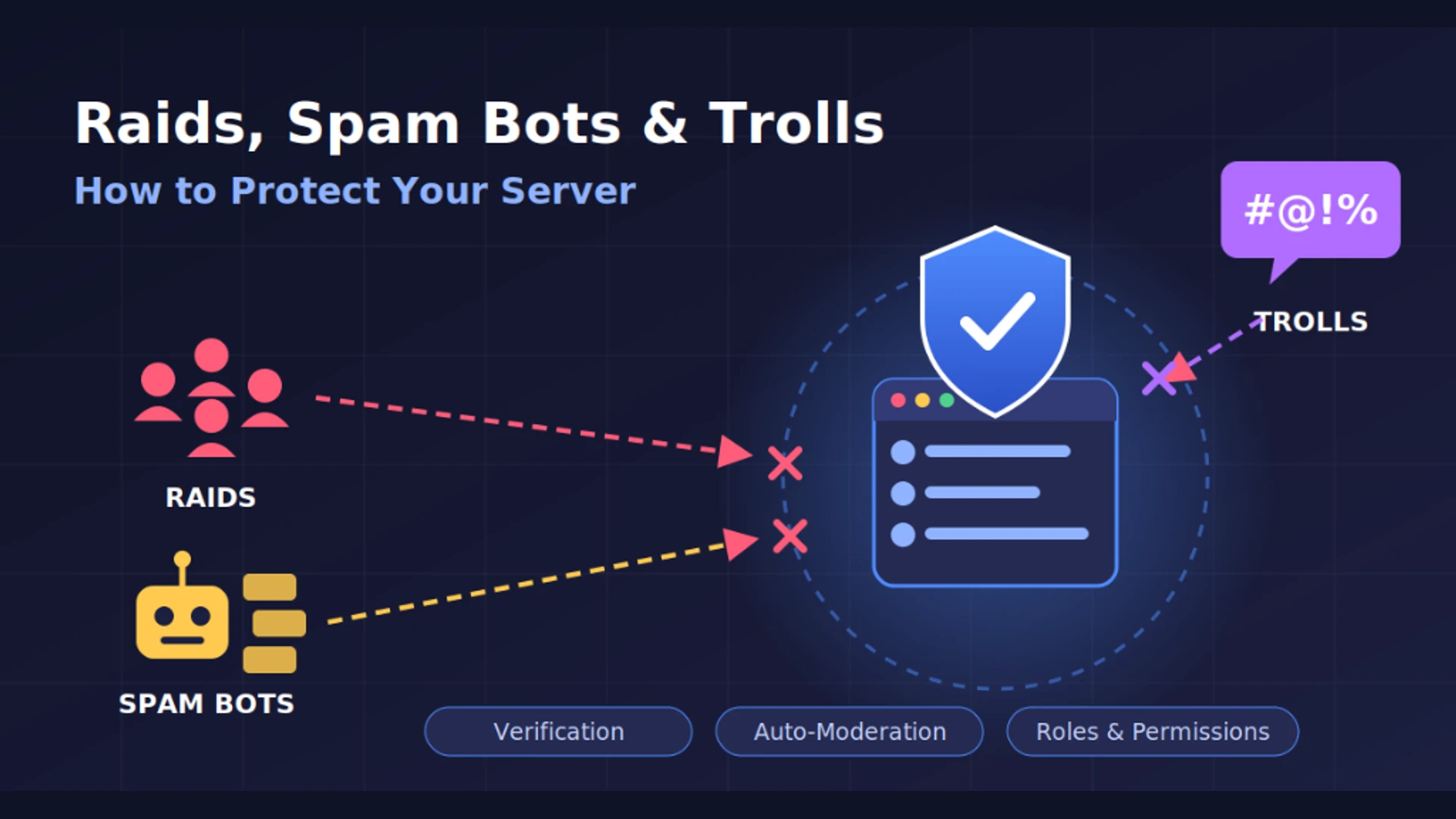
You spent weeks building your community. You set up channels, invited friends, and the conversations finally started flowing. Then, one evening, fifty new accounts join in two minutes and flood every channel with spam, scam links, and abuse.
That is a raid, and it can happen to any server or community group, big or small. The good news: most raids, spam bots, and trolls can be stopped with a bit of preparation. This guide shows you how to secure your server, protect your members, and respond swiftly if an attack happens.
About Lupyd:
Lupyd provides end-to-end encrypted team and community workspaces. With fine-grained role permissions, cryptographic channel isolation, and invite-only controls, your conversations stay private and protected from rogue spam networks. Try Lupyd →
Know What You're Dealing With
Different bad actors attack your community for different reasons. Defending your server starts with knowing what you are facing:
Raids
Coordinated attacks where dozens or hundreds of accounts join simultaneously to flood channels with noise, illegal content, or mass pings. The goal is pure disruption.
Spam Bots
Automated scripts that join servers or DM users to broadcast fake giveaways, phishing domains, crypto scams, or malicious download links.
Trolls
Real individuals who join specifically to provoke emotional reactions, instigate toxic arguments, bait moderators, and skirt the edge of server rules.
Each threat needs a slightly different tactic, but the foundation is always identical: control who gets in, limit what new members can do, and act fast.
1. Control Your Invites
Your server's invite link is your front door. If you leave the key under the mat on a public website, anyone can walk in.
- Don't post permanent public invites everywhere: Links posted on high-traffic Reddit threads, public registries, or social bios are routinely scraped by automated bot farms and raiding networks.
- Use expiring invites: When running temporary promotions or hosting community events, set invite links to expire after 24 hours or 7 days.
- Limit invite uses: If you only expect five new colleagues or friends to join, generate a link capped at five uses.
- Restrict invite permissions: Revoke the ability for default members to generate invitations. Only moderators and administrators should have invite generation rights.
- Audit active links regularly: Review your server's active invite list and immediately revoke orphaned, unused, or suspicious links.
If you run a private community—such as an internal team, an engineering circle, or an advisory group—keep it strictly invite-only and share direct single-use links with people you already know.
2. Slow Down New Members
Raids succeed on velocity: bots join and post hundreds of messages before human moderators can react. Taking away their ability to post instantly neutralizes the attack.
New member gate role: Create an introductory role with zero write permissions across all chat rooms except a dedicated welcome or rules channel.
Verification gating: Require new arrivals to complete a simple step—reacting to server guidelines, answering a community question, or passing a CAPTCHA gate—before assigning the full member role.
Slow mode: Turn on slow mode (e.g. 10 to 30 seconds between messages) in high-traffic or public discussion rooms. A single script cannot flood a channel if it is rate-limited.
Disable mass mentions: Strip the permission to mention @everyone or @here from all regular user roles. Only moderators should have mass-ping capability.
Media & link quarantine: Restrict embedding links and uploading file attachments for accounts that have been on the server for less than 24 hours.
3. Set Clear Rules, and Actually Use Them
Rules are not mere formality. They give your moderators explicit authority to act swiftly and decisively without allegations of bias or unfair censorship.
Effective server rules adhere to four qualities:
- Concise: Five to eight well-worded directives outperform a lengthy legalistic manifesto that nobody reads.
- Specific: Replace subjective phrases like “be respectful” with clear definitions: “No unapproved commercial advertising, phishing links, hate speech, or harassment.”
- Prominent: Host guidelines in a read-only
#ruleschannel that every onboarding member lands in first. - Consistently enforced: If a rule violation earns a timeout for one member, apply that exact penalty to anyone else who repeats it, regardless of seniority.
Establish an explicit escalation framework for the moderation team: Warning → Timeout / Mute → Kick → Permanent Ban. When members and mods understand the protocol, disputes resolve cleanly.
4. Build a Reliable Mod Team
No server owner can watch a server twenty-four hours a day. Protecting your community requires trusted team members who can step in when you are asleep or busy.
- Choose calm, trusted moderators: Select individuals with a proven history of remaining level-headed under pressure rather than escalating drama.
- Distribute timezone coverage: If your server has global members, recruit mods in different timezones so your channels are rarely unattended.
- Principle of least privilege: Chat moderators need permissions to delete messages and timeout disruptive accounts; they do not need server settings access or channel deletion privileges.
- Private staff channel: Maintain an unlisted channel where moderators can exchange notes on suspicious accounts, coordinate disciplinary actions, and support one another.
- Document your raid response plan: Give mods written permission to take emergency action without waiting for owner approval.
5. What to Do During a Raid
When an active raid hits, do not panic. Execute this response protocol in sequence:
Lock the front door
Immediately pause or delete all active invite links so no further bot accounts can enter the server. Stop the influx before cleaning up.
Lock the channels
Temporarily set standard member roles to read-only in affected channels to prevent attackers from continuing to flood discussions.
Purge the raiders
Inspect the server join logs. Raid accounts typically share near-identical join timestamps. Bulk-ban or kick the offending accounts.
Scrub messages and scam links
Delete spam messages and malicious URLs. Use moderation commands or bot utilities to purge recent messages from the banned accounts.
Inform your community
Post a brief announcement: “We experienced a spam raid. It has been resolved. Please do not click any links posted during the incident.”
Seal the vulnerability
Review audit logs to determine which invite link the raiders entered through. Close the loop and tighten onboarding permissions.
6. Dealing with Trolls
Trolls present a different challenge because they are actual humans who deliberately dance along the boundary of your rules to provoke retaliation.
- Refuse to take the bait: Trolls feed on public reaction and visible anger. Advise your community members to disengage and use reporting buttons instead of replying.
- Act quickly without a stage: Protracted public debates in chat rooms give trolls the audience they crave. Apply a timeout swiftly and quietly.
- Keep interaction private: If clarification is needed, direct-message the individual. If they escalate in private, you have clear cause for dismissal.
- Maintain audit records: Document repeated minor infractions so you have indisputable grounds for a permanent ban if behavior fails to improve.
- Prioritize the group over the individual: Your primary obligation is protecting the safety and morale of the broader community. Do not hesitate to remove repeat bad actors.
7. Protect Members from Scam Links
Spam bots frequently weaponize private messages or public channels to distribute phishing URLs and account-stealing malware.
Pin a routine safety reminder in your announcements channel:
- • Never click unsolicited “free gift,” “gift subscription,” or “test our beta game” links.
- • Never enter your credentials or scan QR codes on external pages opened from chat rooms.
- • Server staff will never ask for passwords, two-factor codes, or financial information.
- • Immediately report suspicious direct messages or server posts to the moderation team.
Why a Private, Encrypted Server Helps
Most raids, phishing scams, and bulk bot attacks rely on public invite scrapers and unauthenticated open networks. A community built on invite-only boundaries, strict administrative control, and end-to-end encryption is fundamentally resilient against these vectors.
On Lupyd, every workspace is isolated, and messages are protected with end-to-end encryption. Uninvited bots cannot crawl discussions, scrape participant rosters, or flood rooms. Good moderation policies govern who joins; cryptographic encryption guarantees that your community's conversations remain strictly between your members.
Quick Checklist
Server Protection Audit
- ☑ Expiring or usage-limited invite links configured
- ☑ Invite generation restricted strictly to moderators and admins
- ☑ Isolated new-member gate role with restricted channel permissions
- ☑ Verification onboarding gate or question in place
- ☑ Slow mode activated across general and high-traffic discussion rooms
- ☑ Mass mentions (@everyone and @here) revoked for regular members
- ☑ Clear, concise server rules prominently pinned in a read-only channel
- ☑ Trusted mod team with timezone coverage and least-privilege permissions
- ☑ Written emergency raid protocol documented in a private staff channel
- ☑ Pinned anti-phishing and scam-safety reminder for members
Running a community and want a safer home for it? Try Lupyd, the encrypted workspace for your server.
Why Group Chat Security Is Different • Why Businesses Need Secure Internal Communication • Two-Factor Authentication: A Plain-Language Guide for Partners and Staff
Last updated: 28 October 2026. This article is general community security guidance. Platform features, bot tools, and moderation settings may vary by service.
- ✓ Control your invites: avoid permanent public invite links and restrict who can generate new invites.
- ✓ Slow down new accounts with a verification onboarding gate, limited new-member permissions, and slow mode.
- ✓ Establish a clear, visible escalation ladder: warning -> timeout -> kick -> ban.
- ✓ During an active raid, pause invites and lock affected channels first before beginning message cleanup.
- ✓ End-to-end encrypted, invite-only spaces keep conversations private from outsiders and cut off unvetted attack vectors.
The workspace where nothing leaks
End-to-end encrypted channels and chat for your team, built on the Signal Protocol and MLS. Available on macOS, Windows, Linux and Android.