Electron vs Tauri: What Ships Inside the App
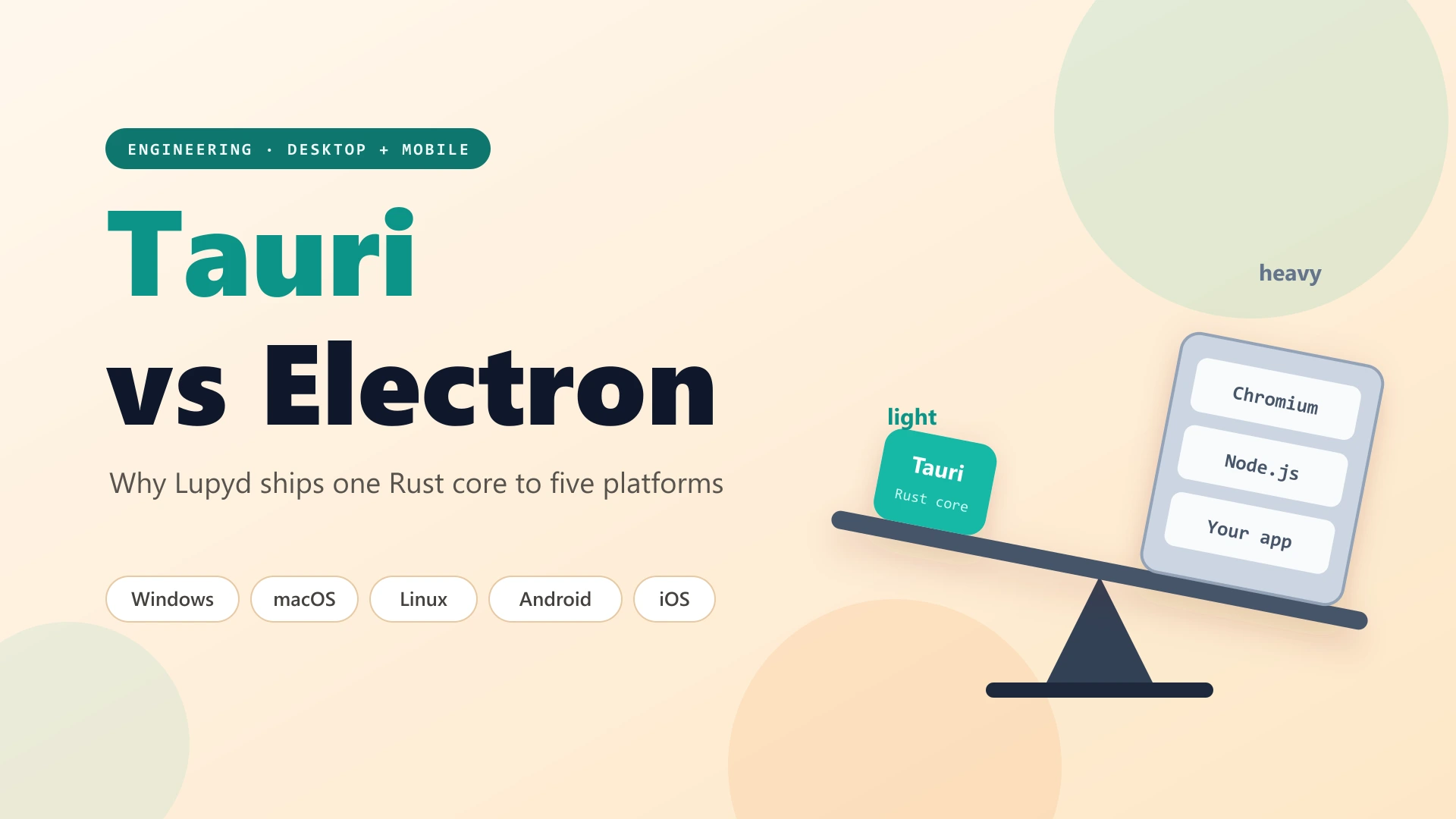
renderer processes
main process · JS backend
Desktop only · browser shipped with every install
WebView2 · WKWebView · Android WebView · CEF on Linux
Firefly MLS · SQLite · search · backups
Windows · macOS · Linux · Android · iOS
Electron bundles Chromium and Node.js. Tauri pairs the OS WebView with a native Rust core.
If you're building a cross-platform desktop app with web technology in 2026, the choice usually comes down to Tauri or Electron. Electron runs VS Code, Slack and Discord. Tauri is newer, smaller and built on Rust. Lupyd is an end-to-end encrypted team messenger, and we chose Tauri. This is the full Tauri vs Electron comparison from our side: why we picked it, the real code from our app, the one place where we ended up shipping Chromium anyway, and when Electron is still the better choice.
What Are Tauri and Electron?
Both frameworks let you build a desktop app with HTML, CSS and JavaScript. They differ in what runs underneath.
- Electron packages a full copy of Chromium and Node.js with every app. The UI runs in Chromium renderer processes and the app logic runs in a Node.js main process. Every user gets the same browser engine, wherever they install it.
- Tauri uses the WebView that the operating system already ships: WebView2 on Windows, WKWebView on macOS and iOS, WebKitGTK on Linux and the System WebView on Android. App logic is written in Rust, and the UI talks to it over a typed IPC bridge. Since Tauri 2, the same project can also target Android and iOS.
What Lupyd Needed From a Desktop Framework
Lupyd isn't a website in a window. Before we compared frameworks, we wrote down what the app actually had to do:
- Run MLS end-to-end encryption on the device. Firefly, our messaging engine, is written in Rust. Private keys and group state must never live in a JavaScript heap.
- Store and search messages locally. Encrypted chats can't be searched on a server, so search has to run on the device.
- Run on desktop and mobile from one codebase: Windows, macOS, Linux, Android and iOS.
- Have a strict security boundary between the UI and everything that touches keys, files and the network.
- Be light enough to leave running all day, like any chat app.
Electron can do most of these with enough effort. Tauri handles most of them by default.
Tauri vs Electron: Side-by-Side Comparison
| Dimension | Electron | Tauri | What Lupyd uses |
|---|---|---|---|
| Rendering engine | Bundled Chromium | System WebView (or CEF, optionally) | System WebView; CEF on Linux |
| Backend language | JavaScript / TypeScript (Node.js) | Rust | Rust, sharing crates with Firefly |
| Mobile support | No official support | Android and iOS (Tauri 2) | Android and iOS from the same repo |
| Security model | Hardening settings (context isolation, sandbox, preload scripts) | Deny by default, with explicit capabilities per window | One capability file listing every allowed permission |
| Bundle size | Includes a full browser runtime | App binary plus your assets | Size-optimized Rust release builds |
| Rendering consistency | Identical everywhere | Varies by OS WebView | Fixed on Linux by switching to CEF |
| Ecosystem | Very large and mature | Smaller, growing fast | Official plugins plus our own Android plugin |
Reason 1: Our Encryption Engine Is Already Rust
This was the deciding factor. Firefly's client library, protocol definitions and crypto core are Rust crates. With Tauri, the desktop app imports them like any other dependency:
[dependencies]
tauri = "2"
firefly-client = { git = "…" }   # our MLS engine, used directly
sqlx = { version = "0.8", features = ["sqlite"] }
No Node native addon, no WebAssembly build, no sidecar process. The Firefly client our own tooling is built on is the same code that runs on a user's laptop.
Then the boundary between UI and crypto becomes a single Tauri command. Here's a simplified version of how a direct message gets sent:
#[command]
pub async fn encrypt_and_send(app: AppHandle, text_b64: String, to: String)
    -> Result<BUserMessage, String>
{
    let client = get_firefly_client(&app).await?;
    let message = client.encrypt_and_send_with_type(to, decode(&text_b64)?, 0).await?; // MLS, in Rust
    store.insert_user_message(message.clone()).await;
    Ok(message.into())
}
And the React side (we actually run Preact via
@preact/compat) only ever sees this:
// The UI never touches keys. It just calls the command.
await invoke("encrypt_and_send", { textB64, to });
That split is why Tauri fits a security-focused app. The WebView renders messages. Rust holds the MLS group state, the private keys and the SQLite database. Even a cross-site scripting bug in the UI would only reach the commands we've exposed, not the key material behind them.
With Electron, getting the same separation would mean compiling Rust into a Node addon (with N-API or similar), keeping it in sync with each Electron release's ABI, and carefully keeping it out of the renderer. That's possible, but it's work Tauri doesn't make you do.
Reason 2: One Codebase for Desktop and Mobile
Electron is desktop-only. If we'd chosen it, Android and iOS would have needed a second app, probably React Native, with the Rust core bridged a second time.
With Tauri 2, lupyd-desktop is also our mobile app. The
generated Android and Xcode projects live in the same repository,
and every platform is one command away:
"desktop": "tauri dev",
"android": "tauri android dev",
"ios":     "tauri ios dev"
Mobile still needs native code in places, and Tauri's plugin system
handles that well. Our lupyd-android plugin adds Kotlin for
the parts Android insists on: notification handling, a share target and
call foreground services. Because it's all one Rust library, Android can
call straight into our Rust code even when no WebView is running:
object EncryptionBridge {
    init { System.loadLibrary("app_lib") }  // the same Rust library as the app

    external fun handleFcmMessage(context: Context, payloadJson: String, appDataDir: String)
    external fun sendReply(context: Context, other: String, text: String,
                           isGroup: Boolean, appDataDir: String)
}
When a push notification arrives, Kotlin calls
handleFcmMessage. Rust then starts the same Firefly client
used everywhere else, fetches the new messages over its WebSocket and
decrypts them on the device. When you reply from the notification shade,
sendReply encrypts it in Rust too. An encrypted messenger
needs this to show real notification previews, and it would have been
much harder with two separate apps.
Reason 3: Security Is Deny-by-Default
Electron security is mostly about turning risky things off: keep
nodeIntegration disabled, keep contextIsolation
and the sandbox on, and audit every preload script. Modern Electron has
safer defaults than it used to, but the model is still "powerful by
default, restrict as needed."
Tauri works the other way round. The WebView can do nothing native until a capability grants it. Here's a trimmed version of our capability file:
{
  "windows": ["main"],
  "permissions": [
    "core:default",
    "notification:default",
    "deep-link:default",
    "fs:default"
  ]
}
The whole file is short enough to review in a pull request. Anything not listed, and any command we haven't registered, can't be called from JavaScript.
Reason 4: Heavy Work Runs in Rust, Off the UI Thread
A chat app does plenty of work that shouldn't run in a browser engine:
full-text search over thousands of messages, Slack workspace imports,
encrypted backups, link previews and on-device recommendations. In
Lupyd, all of that is native Rust on Tokio, reading SQLite through
sqlx.
Tauri's Channel type lets Rust stream results to the UI as
they're ready. Local message search sends batches as it finds them:
#[command]
async fn search_messages_stream(query: String, on_event: Channel<SearchStreamMessage>) {
    for batch in results.chunks(10) {
        let _ = on_event.send(SearchStreamMessage::Batch(batch.to_vec()));
    }
    let _ = on_event.send(SearchStreamMessage::Done);
}
const channel = new Channel<SearchStreamEvent>();
channel.onmessage = (msg) => { if (msg.event === "batch") onBatch(msg.data); };
invoke("search_messages_stream", { query, onEvent: channel });
Rust also runs our on-device recommendation engine. The app ships a small
embedding model (potion-base-8M) as a bundled resource, and
Rust computes your preferences locally in a background task, so your
activity never leaves the device. We wrote about that in
Your Algorithm, Your Control.
Reason 5: Smaller, Lighter Apps
The best-known Tauri advantage is size. An Electron installer always contains a browser and a Node runtime, even before your code is added. A Tauri app on Windows, macOS and mobile contains only your Rust binary and your frontend assets, because the system WebView is already installed.
We push that further with an aggressive release profile:
[profile.release]
opt-level = "z"      # optimize for size
lto = true           # link-time optimization across all crates
codegen-units = 1    # better optimization, slower builds
strip = true         # strip debug symbols
On the frontend, we alias React to Preact, which is much smaller. A chat app stays open all day, so a lighter footprint matters every hour it runs, not just on install day.
The Linux Plot Twist: Shipping Chromium Anyway
Here's the part most "Tauri vs Electron" articles leave out. The system WebView is Tauri's biggest strength and its biggest risk, because each OS gives you a different engine. On Windows (Chromium-based WebView2) and macOS (WebKit), things worked well for us. On Linux, WebKitGTK gave us trouble, especially with video playback, which matters for a calling app.
Our git history tells the story in four commits: "webkitgtk configured", then "cef integration for linux", then "linux video playback issues fixed by custom compiled cef", and finally "removed webkitgtk as dependency".
One App, Different Engines
Lupyd uses the system WebView everywhere except Linux, where it runs Tauri on the Chromium Embedded Framework.
Tauri's runtime layer is pluggable, so we switched engines on Linux
alone without rewriting the app. A single cfg block picks
the CEF runtime on Linux and the default system WebView everywhere
else:
#[cfg(target_os = "linux")]
let builder = tauri::Builder::<CefRuntime<EventLoopMessage>>::default(); // Chromium on Linux

#[cfg(not(target_os = "linux"))]
let builder = tauri::Builder::default();                                  // system WebView elsewhere
Yes, that means Linux users get a bundled Chromium, much like Electron. The difference is that it's a per-platform choice, not the whole architecture. Our Rust core, capabilities, plugins and commands are the same everywhere. Only the rendering engine changed, and only where we needed it. If you're evaluating Tauri for a media-heavy app, test on Linux early.
Shipping to Every Platform
Tauri's bundler covers most of the packaging work. From one project, Lupyd ships:
- Windows: NSIS installer, MSI (WiX) and MSIX for the Microsoft Store
- macOS: app bundle via
tauri build - Linux: AppImage and Flatpak, built in Docker
- Android and iOS: via
tauri androidandtauri ios
Deep links (lupyd:// and https://m.lupyd.com
app links), autostart, single-instance enforcement and auto-updates all
come from official Tauri plugins. The system tray uses Tauri's built-in
tray-icon feature, with a small DBus tray on Linux.
The Tradeoffs of Choosing Tauri
Tauri isn't free of costs. Here's what we pay for it:
- WebView differences. CSS and media APIs can behave differently in WebView2, WKWebView and Android's WebView. We test on every platform, and Linux needed a different engine entirely.
- Rust compile times. With LTO and a single codegen
unit, release builds are slow. Debug builds use
debug = "line-tables-only"to stay reasonable. - A smaller ecosystem. Electron has a decade of libraries, examples and Stack Overflow answers. With Tauri, you sometimes write the plugin yourself, as we did for Android.
- Your team needs Rust. For us that was a plus, since Firefly is Rust. For a JavaScript-only team, it's a real learning curve.
- Mobile is still maturing. Tauri on Android and iOS works and ships, but expect to write native glue code and patch generated templates (we keep a small script for exactly that).
When Electron Is Still the Better Choice
We'd still recommend Electron if:
- Your team is all JavaScript and your backend logic is Node.js.
- You need pixel-identical rendering everywhere and can't test across multiple WebViews.
- You depend on Chromium-only APIs or Electron-specific libraries.
- You only need desktop, and install size doesn't matter to your users.
If you have a Rust core, care about security boundaries, or want desktop and mobile from one codebase, Tauri is the better fit. For Lupyd, all three were true.
Frequently Asked Questions
Is Tauri better than Electron?
It depends on your app. Tauri produces smaller apps, uses a Rust backend, has a deny-by-default permission model and supports Android and iOS. Electron offers identical Chromium rendering everywhere and a larger JavaScript ecosystem. For Lupyd's encrypted, Rust-based messenger, Tauri was the better fit.
Why are Tauri apps smaller than Electron apps?
Electron bundles a full Chromium browser and Node.js runtime with every app. Tauri uses the WebView already installed on the operating system and compiles app logic to a native Rust binary, so the installer mostly contains your own code and assets.
Can Tauri build mobile apps?
Yes. Since Tauri 2, the same project can target Android and iOS as well as Windows, macOS and Linux. Lupyd ships its desktop and mobile apps from one repository, with a small native plugin for Android-specific features.
Does Tauri work well on Linux?
Tauri uses WebKitGTK on Linux by default, which can behave differently from other engines, especially for media. Lupyd hit video playback issues and switched its Linux build to Tauri's Chromium Embedded Framework (CEF) runtime, while keeping the system WebView on other platforms.
Is Tauri more secure than Electron?
Tauri's model is deny-by-default: the WebView can only call native functionality that's explicitly granted through capabilities and registered commands. Electron can be made secure with context isolation, sandboxing and careful preload scripts, but more of that work falls on the developer.
Conclusion: Why Lupyd Chose Tauri
We didn't pick Tauri because it's newer, or only because the apps are smaller. We picked it because Lupyd's most important code, the Firefly encryption engine, is Rust, and Tauri lets that code run natively on every platform behind a narrow, auditable boundary. Then it gave us Android and iOS from the same repository. When the Linux WebView couldn't keep up, Tauri let us swap in Chromium for that one platform.
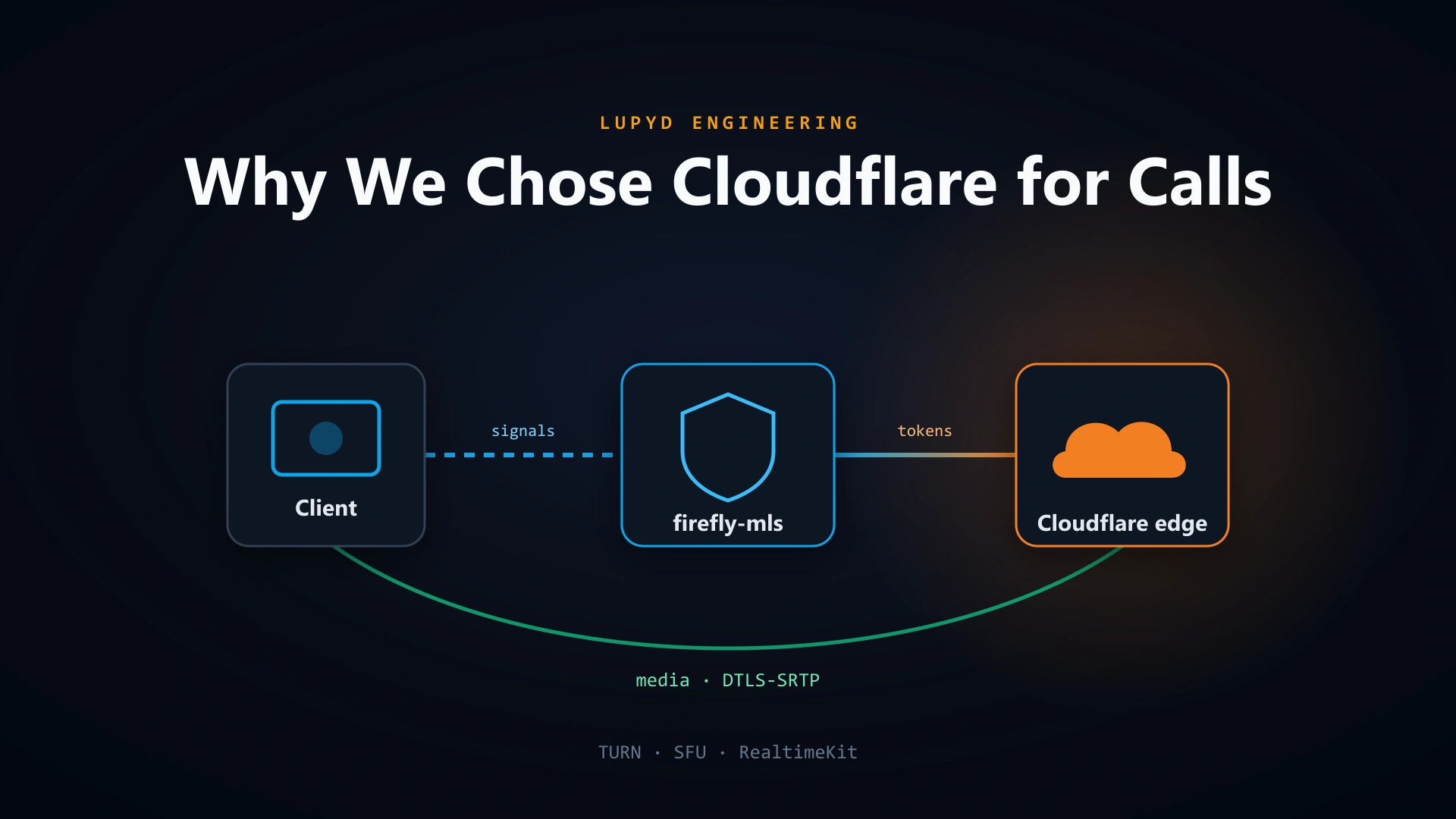
Want to see the rest of the stack? Read how we chose Cloudflare for calls, how Firefly encrypts messages, or why we use Protobuf everywhere.
- ✓ Electron bundles Chromium and Node.js with every app; Tauri uses the system WebView and a native Rust backend.
- ✓ Lupyd's Firefly MLS encryption engine is written in Rust, so Tauri lets the app use it directly, with keys never entering the JavaScript heap.
- ✓ Tauri 2 lets Lupyd ship Windows, macOS, Linux, Android and iOS from one repository, with Android push notifications handled in Rust via JNI.
- ✓ Tauri's capability system is deny-by-default: the WebView can only call explicitly granted permissions and registered commands.
- ✓ WebKitGTK caused video playback issues on Linux, so Lupyd runs Tauri's CEF (Chromium) runtime on Linux only, without changing the rest of the app.
- ✓ Electron is still a good choice for JavaScript-only teams that need identical Chromium rendering everywhere and only target desktop.
The workspace where nothing leaks
End-to-end encrypted channels and chat for your team, built on the Signal Protocol and MLS. Available on macOS, Windows, Linux and Android.